
There are two distinct billing options you may choose from via the Kung Fu Tea app:
- Instant Billing
- Preload/Reload Billing
Instant Billing:
Instant Billing is exactly what it sounds like. Under the Instant Billing method, you may add a card via the "Manage Cards" link found in the dropdown menu of the Settings section of the Kung Fu Tea app. Once your card is added, you may select "Instant Billing" by tapping into the "Payment Preference" link in the "Manage Cards" section of the app.
Across the top of this menu, tap "Instant Billing" so it becomes highlighted, then tap "Confirm" on that screen to confirm your selection: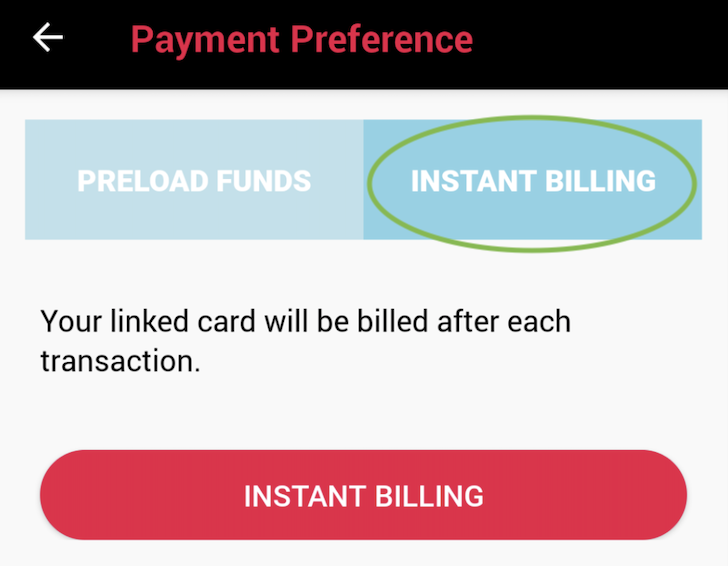
Selecting the Instant Billing option charges the card on file instantly for your orders and transactions at the time of service. This saves an extra step at check-out, allowing you to pay for your order and earn/redeem rewards in one swift step!
Preload/Reload Billing:
This Billing Method allows you to add a certain amount of Preloaded Credit to your Kung Fu Tea account to use on your orders. Under this billing option, you may select a value of anywhere between $25 - $100 to upload to your account and your in-app orders will be deducted from that amount.
To select this Billing Method, you must first add a card to your Kung Fu Tea account in the "Manage Cards" section of the app. Then, tap "Payment Preferences" in the "Manage Cards" menu. Across the top of that screen, select "Add Funds" so it becomes highlighted. 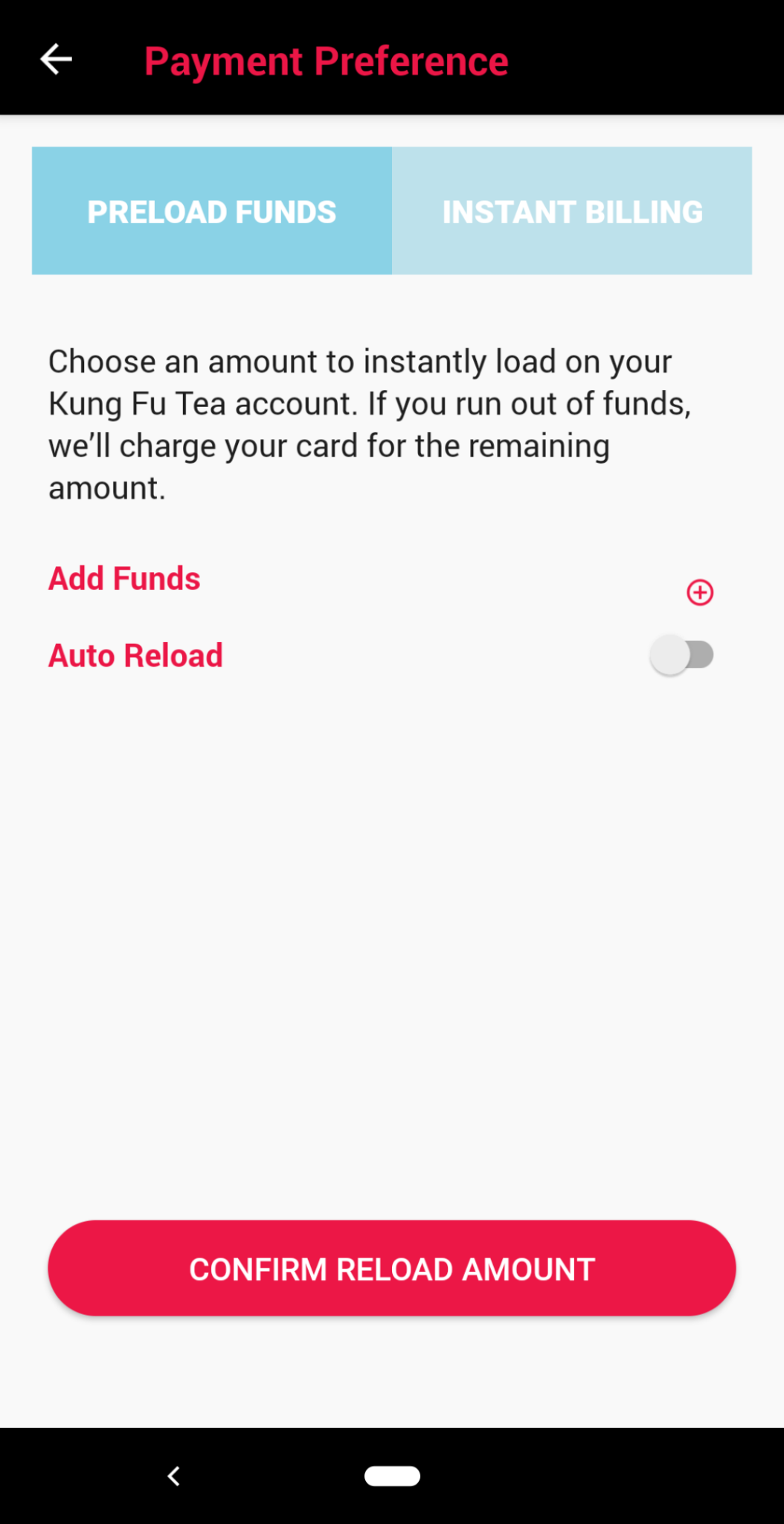
On this screen, you may select the amount you'd like to upload from your linked card to your digital account by tapping the "+" and selecting your custom amount.
You may also elect to maintain a minimum balance with the Auto-Reload feature. With the auto-reload feature enabled, your app will automatically add a new preload of credit to your account whenever your balance falls below the minimum balance you select so you are always prepared for your next visit to Kung Fu Tea! The below example shows a Preload option that reloads $25 whenever the Preloaded balance falls below $10: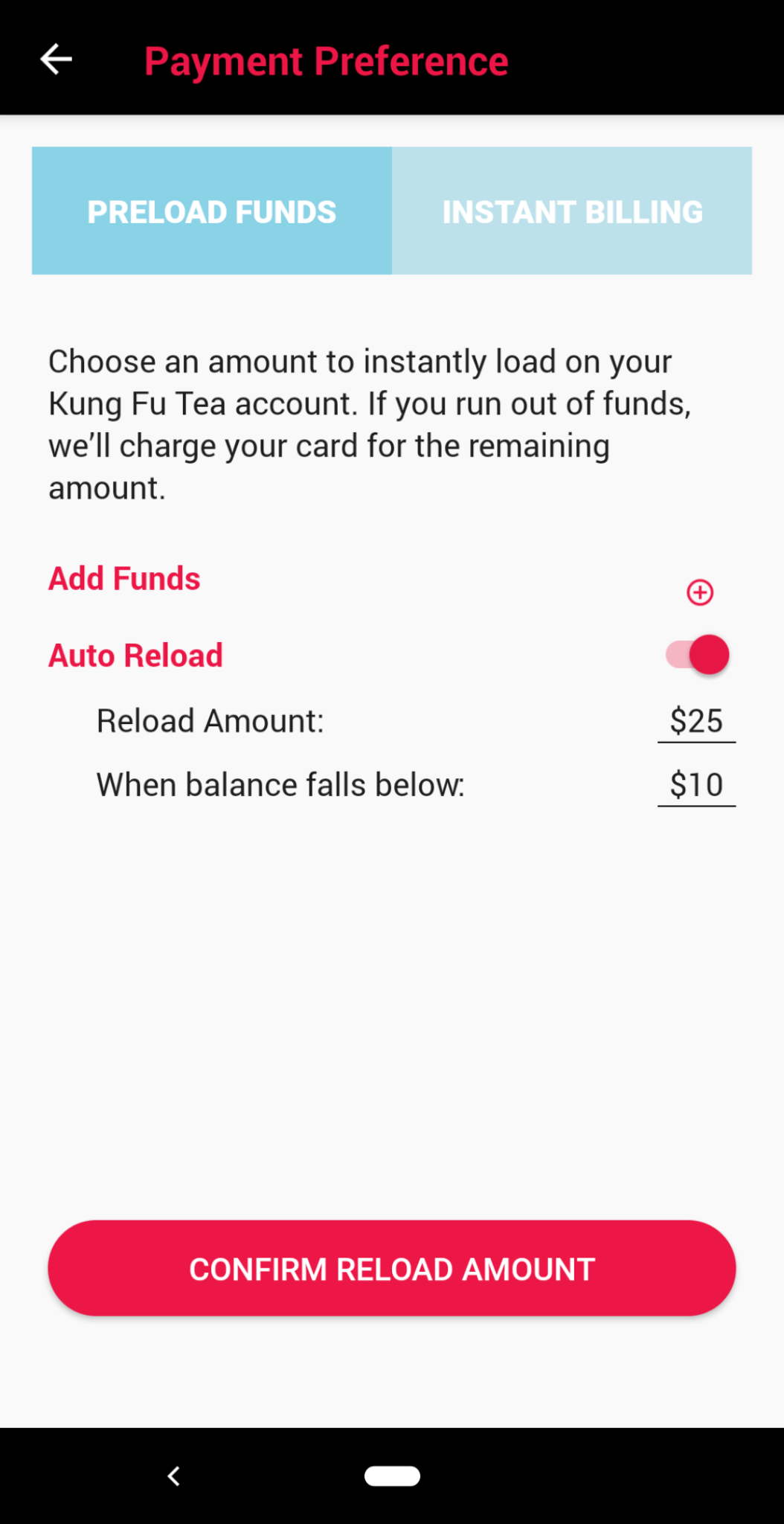
If you'd rather set a spending limit for yourself and prefer to not enable the Auto-Reload feature, you may absolutely do so! Just slide the "Auto Reload" toggle to the left so it is grayed out to disable this feature.
Once you make your billing selections in this menu, don't forget to tap "Confirm" to save those preferences!
What if I Preload funds to my account by accident or decide later I'd rather not have Preloaded my account?
No worries at all! Feel free to email us at kungfutea@thelevelup.com and our dedicated team would be happy to refund any unused Preloaded balance back to the original payment instrument!
Comments
Article is closed for comments.