
To deactivate your Kung Fu Tea account and remove all information associated with your account from our platform, please take the following steps:
1.) Log into your control panel here using your Kung Fu Tea app login credentials: https://www.thelevelup.com/a/kung_fu_tea
2.) Select the "Account" tab
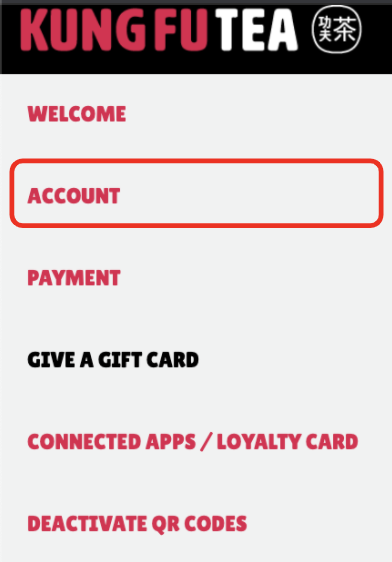
3.) In the bottom right corner, select the "Deactivate Account" button (underneath the password reset option)

4.) You will then just need to re-enter your email address associated with your account and click the "Deactivate Now" button.
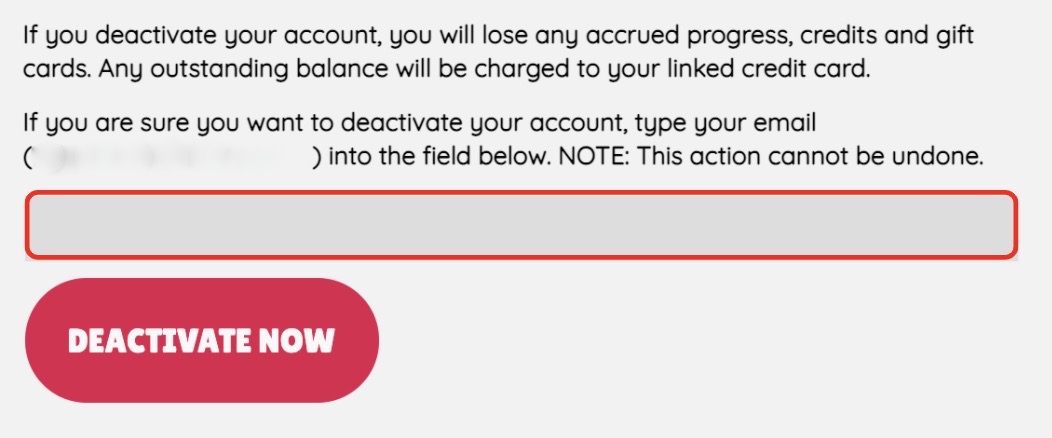
This will confirm your account deactivation by removing your information entirely from our platform. If you deactivate your account, you will lose any accrued progress, credits and gift cards. Any outstanding balance will be charged to your linked credit card.

Comments
Article is closed for comments.